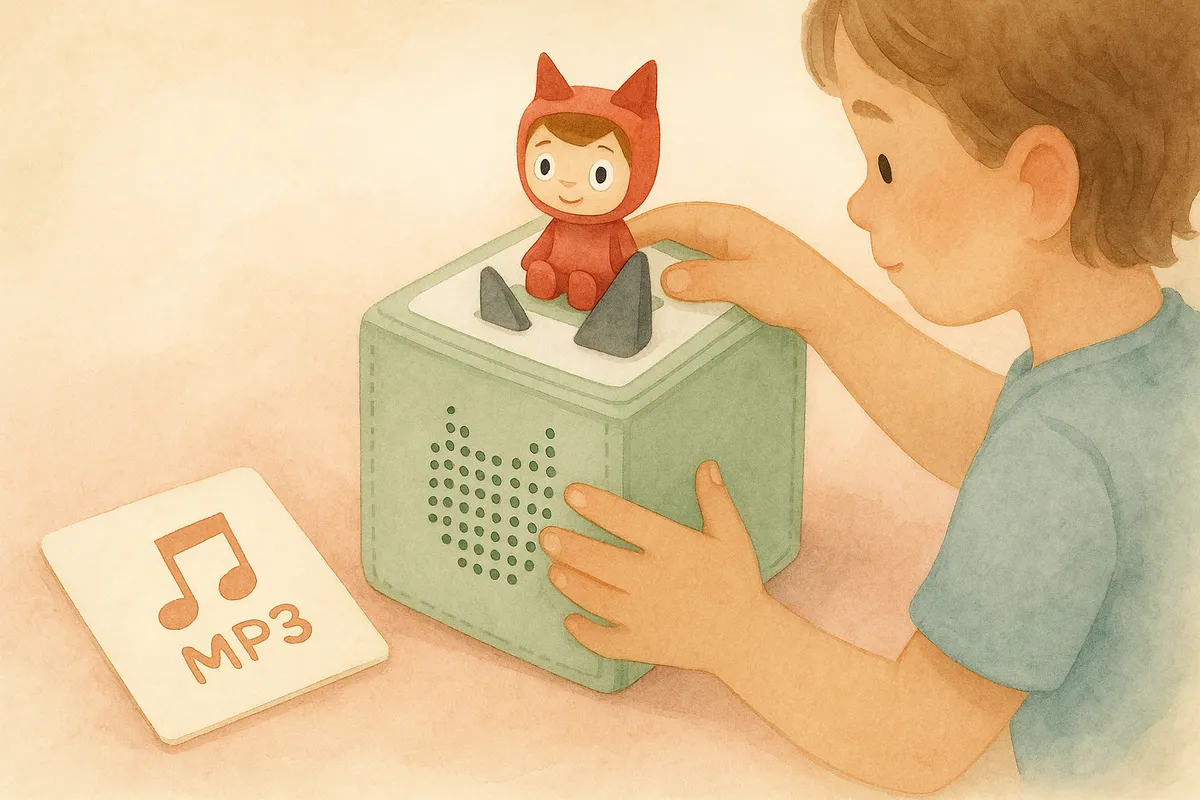
A step-by-step guide to uploading your own MP3 stories to a Creative Tonie, plus where to find personalized audio stories your child will love.
Compatibility note: Fablino creates standard MP3 audio files that can be loaded onto Toniebox, Yoto Player, FABA, and other MP3-compatible devices. Fablino is not affiliated with, endorsed by, or sponsored by Boxine GmbH (Toniebox®), Yoto Ltd (Yoto®), or any FABA trademark owner. All third-party brand names are the property of their respective owners.
See our full Trademark Disclaimer →Your child loves their Toniebox. But after cycling through the same figurines for the hundredth time, you start wondering: can I put my own stories on this thing?
Yes, you can. Here's exactly how.
What Is a Creative Tonie?
A Creative Tonie is a blank figurine that lets you upload your own audio content. Unlike regular Tonies that come preloaded with a specific story, a Creative Tonie holds up to 90 minutes of whatever you want -- audiobooks, music, voice recordings, or custom stories.
You can buy Creative Tonies in various designs (astronaut, princess, unicorn, and more) from the official Tonies shop or major retailers.
How to Upload MP3 Stories to Your Toniebox
Step 1: Set Up the mytonies Account
If you haven't already, create an account at mytonies.com and register your Toniebox. You'll need the Toniebox ID printed on the bottom of the device.
Step 2: Assign Your Creative Tonie
Place your Creative Tonie on the Toniebox while it's connected to WiFi. It will appear in your mytonies account automatically. You can also assign it manually using the Tonie's unique ID.
Step 3: Upload Your Audio Files
In mytonies, navigate to your Creative Tonie and click "Upload Content." You can upload:
- MP3 files (most common format, recommended)
- M4A / AAC files
- WAV files
- OGG files
Each Creative Tonie supports up to 90 minutes of audio. Files play in the order you arrange them.
Step 4: Sync the Toniebox
Place the Creative Tonie on your Toniebox while connected to WiFi. The box will download the new content automatically. The LED light will flash while syncing. Once it stops flashing, the new stories are ready to play.
Tip: Sync before bedtime so the stories are loaded and ready when your child needs them.
What Audio Format Works Best?
The Toniebox accepts several formats, but MP3 is the safest choice. Here's what to aim for:
- Format: MP3
- Bitrate: 128-192 kbps (higher sounds better but uses more of your 90 minutes)
- Sample rate: 44.1 kHz
- Channels: Stereo or mono both work
Most audio you download online is already in MP3 format, so you usually won't need to convert anything.
Where to Find Great Stories for Your Toniebox
Here's where it gets interesting. The Creative Tonie opens up a world beyond the official Tonie catalog:
Free Sources
- Storynory (storynory.com) -- free classic fairy tales and original stories as MP3 downloads
- LibriVox (librivox.org) -- public domain audiobooks read by volunteers, including children's classics
- Spotify/YouTube -- search for kids' story podcasts, then download episodes for offline use
Paid Sources
- Audible Kids -- large catalog of children's audiobooks
- Toniebox App -- some additional content available for purchase through the official app
Personalized Stories
Here's something most parents don't know: you can get stories where your child is the main character, personalized with their name, age, and interests.
Fablino generates personalized bedtime stories with professional voice narration. You tell it your child's name, pick a theme (courage, sharing, adventure -- 21 themes available), and in a few minutes you get a studio-quality audio story your child stars in.
The stories download as MP3 files, which means you can upload them directly to a Creative Tonie. Your child places their favorite figurine on the Toniebox and hears a story about them going on an adventure.
Your first Fablino story is free -- enough to test whether your child lights up when they hear their own name in a bedtime story.
Tips for a Great Toniebox Story Library
-
Organize by mood. Use different Creative Tonies for different situations -- one for bedtime wind-down stories, another for energetic adventure tales.
-
Rotate regularly. Kids love repetition, but they also love surprise. Swap out stories every few weeks to keep things fresh.
-
Mix formats. Combine professional audiobooks, personalized stories, and even recordings of family members reading favorites. Grandma reading a bedtime story from another city? Record it and upload it.
-
Match story length to bedtime. Short stories (3-5 minutes) work better for toddlers. Older kids can handle longer chapters. The Toniebox has a sleep timer built in.
-
Let kids choose. Having multiple Creative Tonies with different content gives your child agency in their bedtime routine -- which makes bedtime battles less likely.
Quick Troubleshooting
Stories won't sync? Make sure the Toniebox is connected to WiFi and the LED light is solid green before placing the Creative Tonie.
Audio sounds distorted? The file might be encoded at too high a bitrate. Convert to 128 kbps MP3 and re-upload.
Ran out of space? Each Creative Tonie holds 90 minutes. Delete old content from mytonies to make room, or get an additional Creative Tonie.
Wrong playback order? Drag and drop files in the mytonies interface to rearrange them. The Toniebox plays them in the order shown.
The Bottom Line
The Creative Tonie turns your Toniebox from a fixed library into an open platform. Whether you're uploading classic fairy tales, personalized stories with your child's name, or grandpa's voice reading a favorite book, the process is the same: upload MP3s, sync, and let your child press play.
The best part? No screen required. Just a little figurine and a story that's all theirs.
Create Your Child's Story
Make your child the hero of their own personalized bedtime story with professional narration.
Try Fablino FreeRelated Stories
Enhancing Quiet Time with Personalized Audio Stories for Kids
Discover how personalized audio stories can transform your child's quiet time into peaceful, independent moments they actually look forward to experiencing.
English and Spanish Stories for Toniebox: A Parent's Guide
Looking for English or Spanish audio stories for your Toniebox? Here's how to find multilingual content for your child, from official Tonies to personalized stories.
Creating Family Bonding Moments with Fablino Audio Stories
Discover how audio stories transform ordinary moments into family bonding opportunities, from car rides to rainy day adventures that bring siblings together.